How to Create a Website for Free in 2026: 5 Ways Compared
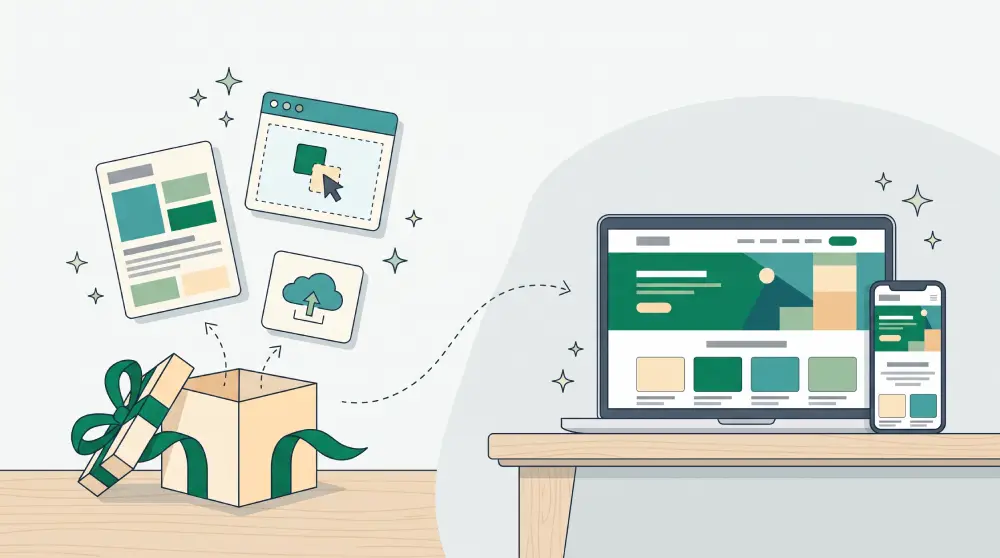
You can build a website without paying anything. The real question is how far "free" will take you before it starts working against you.
Searches for "how to create a website for free on Google" are up about 50% this month, and "how to make a website on Canva" has more than doubled. So this guide compares the five free routes people actually use, including the limits the sign-up pages don't mention.
The short version
- Google Sites. Best for: class pages, internal team pages, simple portfolios. Where it runs out: few designs, limited SEO, no store or booking.
- Canva Websites. Best for: one-page sites that need to look good fast. Where it runs out: mostly single-page, thin on forms and SEO.
- A builder's free plan. Best for: trying a real builder before paying. Where it runs out: platform subdomain and badge, page limits.
- Netlify or similar hosting. Best for: people who write or generate their own code. Where it runs out: you build and maintain everything yourself.
- AI website builder trial. Best for: small businesses that need copy, not just layout. Where it runs out: trial limits; you'll pay once it's live for real.
1. Google Sites
Google Sites is free with any Google account. Open sites.google.com, pick a theme, drag in text, images and Google Docs or Forms, and publish. Ten minutes is realistic.
It's genuinely good for class pages, project pages, internal wikis and simple portfolios. The trouble starts when the site is for a business. The default address is long (sites.google.com/view/your-name), there are only a handful of themes, you get very little control over page titles and descriptions, and there's no built-in store, booking or blog. Visitors can usually tell it's Google Sites at a glance.
2. Canva
If you already design social posts in Canva, you can turn a design into a website and publish it on a free Canva subdomain. It's the fastest way to get something that looks polished.
The catch is that a Canva site is essentially a designed page, not a website platform. It's best as a single scrolling page. Contact forms, multiple pages that work like a real site, SEO settings and anything transactional are thin or missing, so it suits a personal page or a one-off event better than a business.
3. A website builder's free plan
Most builders, from Wix to newer AI tools, offer a free plan or trial. You get proper templates, a drag-and-drop editor and usually a contact form.
Check four things before you invest an afternoon:
- Subdomain or your own domain? Free plans almost always put you on the platform's subdomain.
- Ads or badges? Many add a banner or "made with…" label you can't remove.
- Can you upgrade without rebuilding? If the business grows, you want to keep what you made.
- Limits on pages, storage and bandwidth. Usually enough to start, rarely enough for a year.
4. Netlify and free static hosting
Netlify searches have jumped this month, largely because people are generating sites with AI coding tools and need somewhere to put them. Netlify, Vercel, Cloudflare Pages and GitHub Pages will host a static site for free, often on your own domain, with HTTPS included.
It's a great option if you write HTML yourself or are comfortable with tools like Cursor or Claude Code. It's a poor option if you're not: there's no editor, so every change to a price or an opening hour means editing code and redeploying. Forms, bookings and payments all need extra services you wire up yourself. (If that route appeals, our explainer on what vibe coding is covers what you're signing up for.)
5. An AI website builder
This is the route that has grown fastest over the past year. You describe your business, who it's for and what you want visitors to do. The AI lays out the pages, writes a first draft of the copy, and picks colours and fonts. You edit from there.
The difference from a template is that the result is already about your business. For most owners the hard part of a website was never the layout, it was writing the words, and that's where AI saves the most hours. We've compared the main AI website builders and who each one suits.
When "free" starts costing you
- When you run ads. People who click an ad and land on a long subdomain hesitate before filling in a form or paying.
- When you need to be found. Without control over titles, descriptions and a sitemap, your pages struggle to rank.
- When you start selling. Taking every order through DMs works until you're logging orders and chasing payments by hand.
- When you want to leave. A platform with no export means rebuilding from scratch.
A domain usually costs around $10 to $20 a year. For a business, it's one of the quickest costs to earn back. If you're weighing up the bigger picture, we've broken down what a small business website really costs.
A practical way to start today
- Write one sentence: what you do, who for, and where.
- Choose one main action: contact you, fill in a form, book, or buy.
- Gather your logo, 5 to 10 real photos, prices, hours and address.
- Pick a route from the table. For a business, start somewhere you can upgrade and move to your own domain later.
- Publish, open it on your phone, and tap every button yourself.
Try PageHub for free
PageHub has a free Trial plan with no credit card. Describe your business and get a first website and landing page written by AI, then edit them in the visual editor or as HTML. When you're ready, upgrade and connect your own domain. Everything you've built stays where it is.